
Design Polls
Look at a real design and choose the one change you would make. It teaches Taste how you edit, not only what you like.
What is a Design Poll?
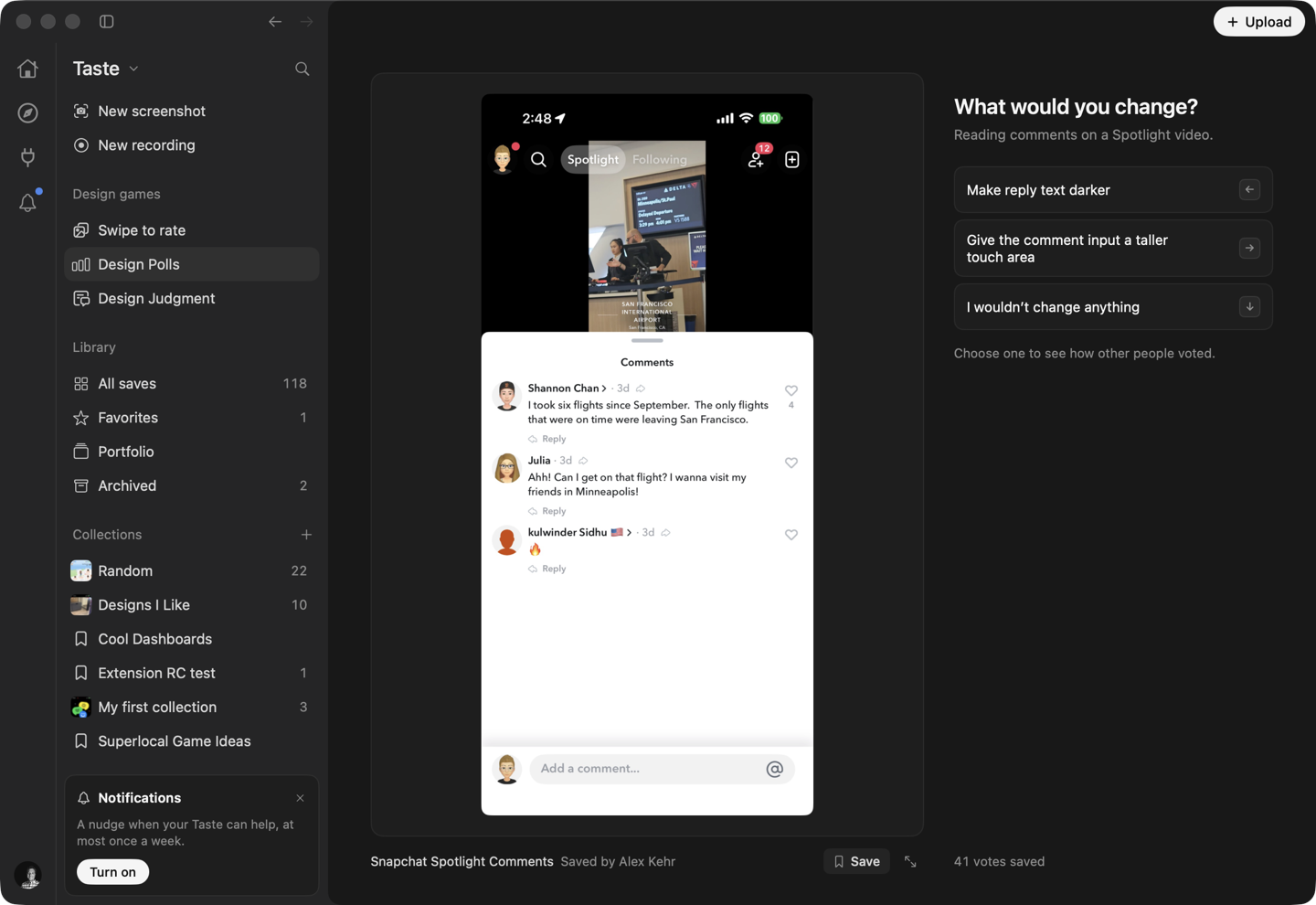
A Design Poll shows one real design and three answers: two specific changes someone could make to it, and “I wouldn’t change anything.” You choose the answer you agree with.
A swipe records whether you like a design. A poll records what you would do to it. That is a different signal: it shows how you edit.
How do I vote?
Design Polls are on the web, in Taste for iPhone and in Taste for Mac. The polls and their results are the same in each.
- Look at the design. Click it to inspect it at full size.
- Choose one of the three answers. In Taste for Mac, the two changes are the Left and Right Arrow keys and “I wouldn’t change anything” is the Down Arrow key. The number keys 1, 2 and 3 also work.
- Read how other people voted, then press Return for the next design.
How do polls affect my Taste Profile?
Your votes are saved to your account and are included the next time your Taste Profile updates. Voting does not rewrite the profile immediately.
If a poll is built from a design on Taste, you can save that design to your library from the poll. In Taste for Mac, press S.
Swipes, polls and Design Judgment: which should I use?
Use all three; each takes a minute or two and answers a different question.
Swipe to rate is the fastest: a reaction to a whole design. Design Polls ask which single change you would make. Design Judgment asks you to explain, in your own words, what works and what you would change.